What is AI Graphic Design
AI Graphic Design represents a revolutionary approach to visual content creation, leveraging artificial intelligence to streamline and enhance the design process. This cutting-edge technology empowers both professional designers and novices alike, offering a suite of tools that can generate, edit, and optimize graphics with unprecedented speed and accuracy. By harnessing the power of machine learning algorithms, AI Graphic Design tools can analyze vast datasets of visual information, learning from existing designs to produce new, original creations that align with current aesthetic trends and user preferences.
The integration of AI in graphic design has opened up new possibilities for creativity and efficiency. These intelligent systems can handle tasks ranging from simple logo creation to complex visual storytelling, all while adapting to specific brand guidelines and design requirements. As the technology continues to evolve, it's reshaping the landscape of digital art and commercial design, offering solutions that not only save time but also inspire new ideas and push the boundaries of what's possible in visual communication.
How does AI Graphic Design tools work?
AI Graphic Design tools operate on sophisticated algorithms and neural networks that have been trained on massive datasets of images, designs, and visual elements. The process typically involves several key steps:
- Input Analysis: The AI system first analyzes the user's input, which can range from text descriptions to rough sketches or even existing images. It interprets the requirements and context of the design task.
- Pattern Recognition: Drawing from its training data, the AI identifies relevant patterns, styles, and design elements that match the input criteria.
- Generation: Using generative adversarial networks (GANs) or other AI models, the system creates multiple design options based on the analyzed input and recognized patterns.
- Refinement: The AI applies various optimization techniques to refine the generated designs, ensuring they meet quality standards and user specifications.
- User Interaction: Many AI design tools allow for iterative feedback, where users can guide the AI through preferences and adjustments, leading to a more tailored final product.
These tools often incorporate features like automatic color palette generation, smart object placement, and even style transfer capabilities. By automating many of the technical aspects of design, AI allows creators to focus more on the conceptual and strategic elements of their projects. This synergy between human creativity and machine efficiency is what makes AI Graphic Design tools so powerful and transformative in the field of visual arts and communication.
Best AI Graphic Design
The realm of AI Graphic Design is rapidly expanding, with numerous tools vying for the title of "best." While the definition of "best" can vary depending on specific needs and preferences, several AI-powered design solutions consistently stand out for their innovative features, user-friendly interfaces, and impressive outputs. These top-tier tools often share common characteristics that set them apart:
- Versatility: The ability to handle a wide range of design tasks, from logo creation to social media graphics and beyond.
- Customization: Offering users granular control over the AI-generated designs, allowing for fine-tuning and personalization.
- Learning Capability: Continuously improving based on user feedback and new data, ensuring that the tool stays current with design trends.
- Integration: Seamless compatibility with other design software and platforms, facilitating a smooth workflow.
- Output Quality: Consistently producing high-resolution, print-ready graphics that meet professional standards.
When evaluating AI Graphic Design tools, it's crucial to consider factors such as the learning curve, pricing model, and specific features that align with your project requirements. Some tools excel in rapid prototyping, while others might be more suited for intricate, detailed work. The best AI Graphic Design solution for you will ultimately depend on your unique needs, skill level, and the types of projects you typically undertake.
AI Graphic Design Tools
The landscape of AI Graphic Design tools is diverse, offering a range of options to suit different needs and skill levels. These tools can be broadly categorized into several types, each with its own strengths and applications:
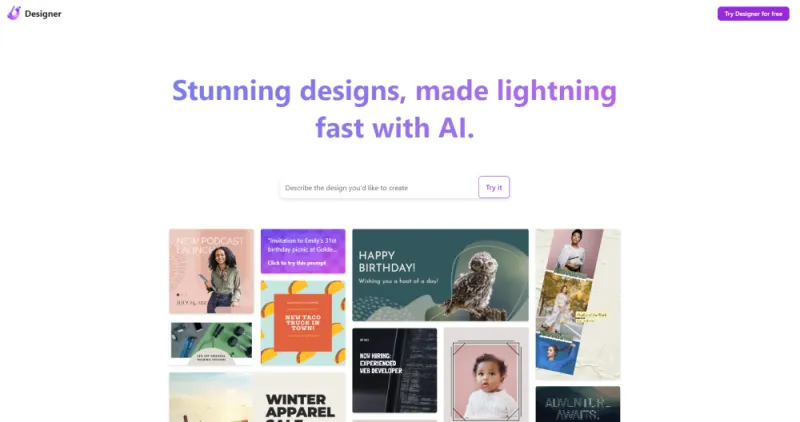
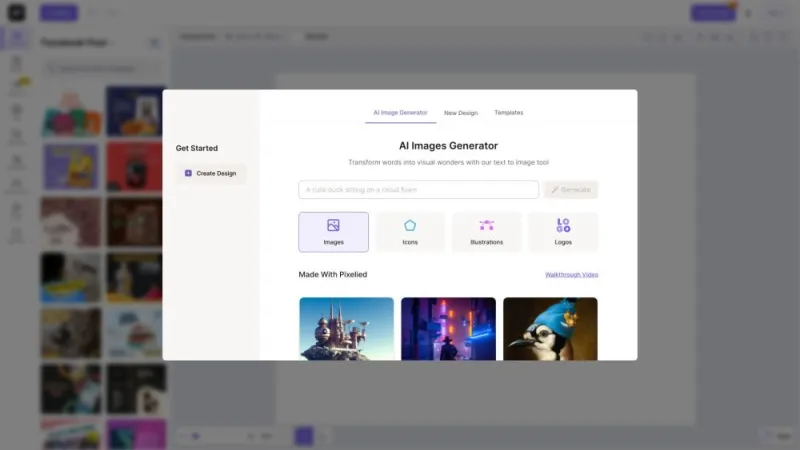
- AI-Powered Design Platforms: Comprehensive solutions that offer a wide array of design capabilities, from logo creation to full branding kits. These platforms often feature intuitive interfaces and extensive template libraries, making them accessible to users with varying levels of design experience.
- Vector Graphics Generators: Specialized tools that use AI to create and manipulate vector graphics, ideal for logo design, illustrations, and scalable images.
- Image Enhancers and Editors: AI-driven tools that can automatically enhance photo quality, remove backgrounds, or apply complex editing effects with minimal user input.
- Color Palette Generators: Intelligent systems that can create harmonious color schemes based on input images or design briefs, ensuring visual coherence across projects.
- Layout Optimizers: Tools that use AI to suggest optimal layouts for various design formats, from web pages to print materials, based on design principles and user behavior data.
These AI Graphic Design tools are continuously evolving, with new features and capabilities being added regularly. Many offer cloud-based solutions, allowing for collaborative work and easy access across devices. As the technology matures, we're seeing increasingly sophisticated tools that can handle complex design tasks with remarkable accuracy and creativity, pushing the boundaries of what's possible in digital design.
AI Graphic Design Free
In the world of AI Graphic Design, accessibility is key, and fortunately, a variety of options are available to suit different budgets and needs. While premium tools offer advanced features and capabilities, there are also numerous free AI Graphic Design tools that provide impressive functionality for those just starting out or working with limited resources. These free options can be excellent for learning the ropes of AI-assisted design, prototyping ideas, or handling smaller projects.
It's worth noting that many AI Graphic Design platforms operate on a freemium model, offering basic features at no cost while reserving more advanced capabilities for paid tiers. This approach allows users to explore the tool's potential before committing to a subscription. When exploring free AI Graphic Design tools, consider factors such as:
- The range of design types supported (e.g., logos, social media graphics, illustrations)
- Export options and resolution quality of the final designs
- The size and variety of the template library, if applicable
- Limitations on the number of designs you can create or export
- The level of customization available within the free tier
Remember that while free tools can be incredibly useful, they may come with certain restrictions or watermarks on the final output. For professional or commercial projects, investing in a paid tool might be necessary to access higher-quality results and more robust features. Ultimately, the choice between free and paid AI Graphic Design tools depends on your specific needs, project requirements, and long-term design goals.