What is AI Image to Image
AI Image to Image technology represents a groundbreaking advancement in the field of artificial intelligence and computer vision. This innovative approach allows for the transformation of one image into another, maintaining the core structure while altering specific attributes or styles. The process involves sophisticated algorithms that analyze the input image, understand its components, and then generate a new image based on specified parameters or target styles.
The applications of AI Image to Image are vast and continue to expand across various industries. From enhancing old photographs to creating entirely new artistic compositions, this technology is revolutionizing how we interact with and manipulate visual content. Some key applications include:
- Art and Design: Artists and designers can experiment with different styles and techniques without starting from scratch.
- Photography: Photographers can apply filters, adjust lighting, or even change the season depicted in an image.
- Fashion: Virtual try-ons and style transfers allow for innovative approaches in fashion design and e-commerce.
- Film and Animation: Filmmakers can alter scenes or create special effects with unprecedented ease and realism.
- Architecture: Architects can visualize how buildings might look in different environments or with alternative designs.
How does AI Image to Image tools work?
AI Image to Image tools operate on complex principles of machine learning and neural networks. At their core, these tools utilize advanced algorithms, often based on Generative Adversarial Networks (GANs) or other deep learning models. The process can be broken down into several key steps:
- Image Analysis: The AI first analyzes the input image, breaking it down into various components such as shapes, colors, textures, and objects.
- Feature Extraction: Key features of the image are identified and mapped, creating a comprehensive understanding of the image's structure and content.
- Style Transfer or Modification: Based on the user's input or the tool's specific function, the AI applies transformations to the extracted features. This could involve changing colors, altering textures, or applying entirely new artistic styles.
- Image Generation: Using the modified features, the AI generates a new image that incorporates the desired changes while maintaining the original image's core structure and content.
- Refinement: Many tools include a refinement phase where the generated image is further processed to ensure coherence and quality.
The effectiveness of these tools often depends on the quality and diversity of the data they were trained on. More sophisticated models can produce highly realistic and detailed transformations, while simpler ones might offer more basic modifications. As technology advances, these tools are becoming increasingly capable of producing high-quality, photorealistic transformations that were once thought impossible.
Best AI Image to Image
The landscape of AI Image to Image tools is diverse and rapidly evolving, with new solutions emerging regularly. While specific tools can't be named here, it's important to understand the characteristics that define the best AI Image to Image solutions:
- High-Quality Output: Top-tier tools produce transformed images that are clear, detailed, and maintain the integrity of the original image where necessary.
- User-Friendly Interface: The best tools offer intuitive interfaces that allow users of all skill levels to easily navigate and utilize the features.
- Customization Options: Advanced tools provide a wide range of customization options, allowing users to fine-tune transformations to their exact specifications.
- Processing Speed: Efficiency is key, especially for professionals who need to process multiple images quickly.
- Integration Capabilities: Many leading tools offer APIs or plugins that allow for seamless integration with other software and workflows.
- Regular Updates: The AI field is rapidly advancing, and the best tools are those that consistently update their algorithms and features to stay at the cutting edge.
When selecting an AI Image to Image tool, consider your specific needs and use cases. Some tools might excel in artistic transformations, while others might be better suited for more practical applications like photo enhancement or restoration. It's often beneficial to experiment with different tools to find the one that best aligns with your requirements and workflow.
AI Image to Image Tools
The array of AI Image to Image tools available today caters to a wide spectrum of needs, from casual users to professional artists and designers. These tools can be broadly categorized based on their primary functions and target users:
- Style Transfer Tools: These focus on applying artistic styles to photographs, transforming them into paintings or drawings in the style of famous artists.
- Photo Enhancement Tools: Designed to improve image quality, these tools can increase resolution, remove noise, or adjust lighting and color balance.
- Object Manipulation Tools: These allow users to add, remove, or modify specific objects within an image while maintaining overall coherence.
- Background Replacement Tools: Useful for changing the setting of a photograph without altering the main subject.
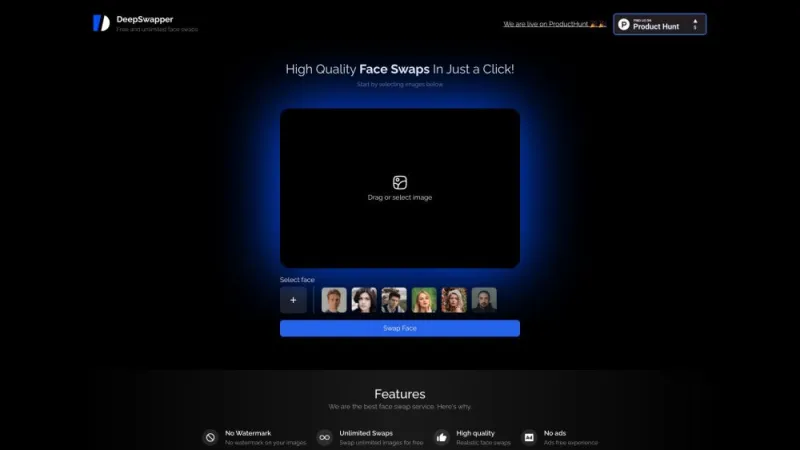
- Facial Editing Tools: Specialized in modifying facial features, expressions, or even aging/de-aging faces in photographs.
When exploring AI Image to Image tools, consider factors such as ease of use, output quality, processing speed, and available features. Many tools offer free trials or basic versions, allowing users to test their capabilities before committing to a purchase or subscription. It's also worth noting that some tools are designed for specific platforms (web-based, mobile apps, or desktop software), so choose one that fits your preferred work environment.
AI Image to Image Free
For those looking to explore AI Image to Image technology without financial commitment, there are numerous options available. On aitophub.com, you can find a curated selection of both paid and free tools, catering to various needs and skill levels. Free tools can be an excellent starting point for beginners or those with occasional image transformation needs.
When considering free AI Image to Image tools, keep in mind the following points:
- Feature Limitations: Free versions often come with restrictions on features, output quality, or the number of transformations allowed.
- Processing Power: Some free tools may have limits on image size or resolution, or may process images more slowly than their paid counterparts.
- Privacy Concerns: Always review the privacy policies of free tools, especially if you're working with sensitive or copyrighted images.
- Watermarks: Some free tools may add watermarks to the output images, which may not be suitable for professional use.
Despite these potential limitations, free AI Image to Image tools can still offer powerful capabilities. They provide an opportunity to experiment with different styles and techniques without financial risk. For hobbyists, students, or those just starting to explore the potential of AI in image manipulation, these free tools can be invaluable resources for learning and creativity.
Whether you opt for a free or paid solution, the world of AI Image to Image technology offers exciting possibilities for transforming and enhancing visual content. As this field continues to evolve, we can expect even more innovative and accessible tools to emerge, further democratizing the ability to create and manipulate stunning visual content.
 28.85%